Excite Your Analysts
with a Seamless Filter Experience
with a Seamless Filter Experience

See how SLICERBAR Declutters your Power BI Navigation
See how SLICERBAR Declutters your Power BI Navigation
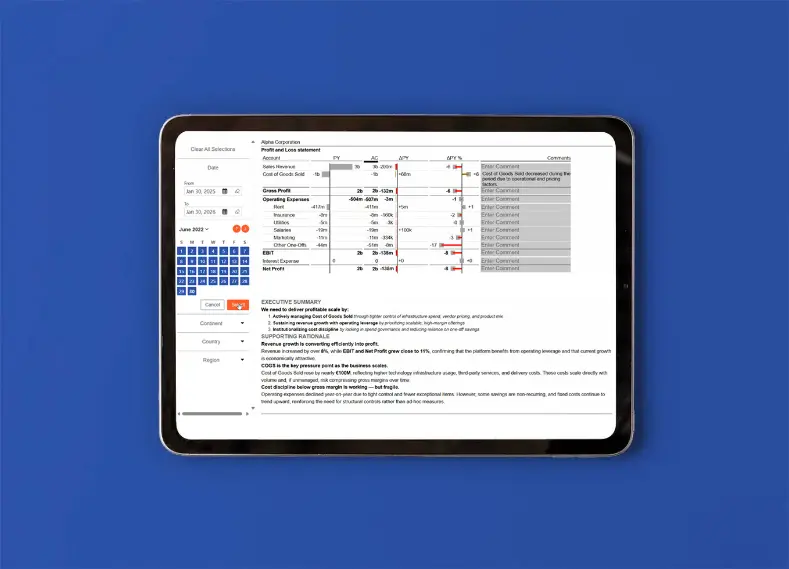
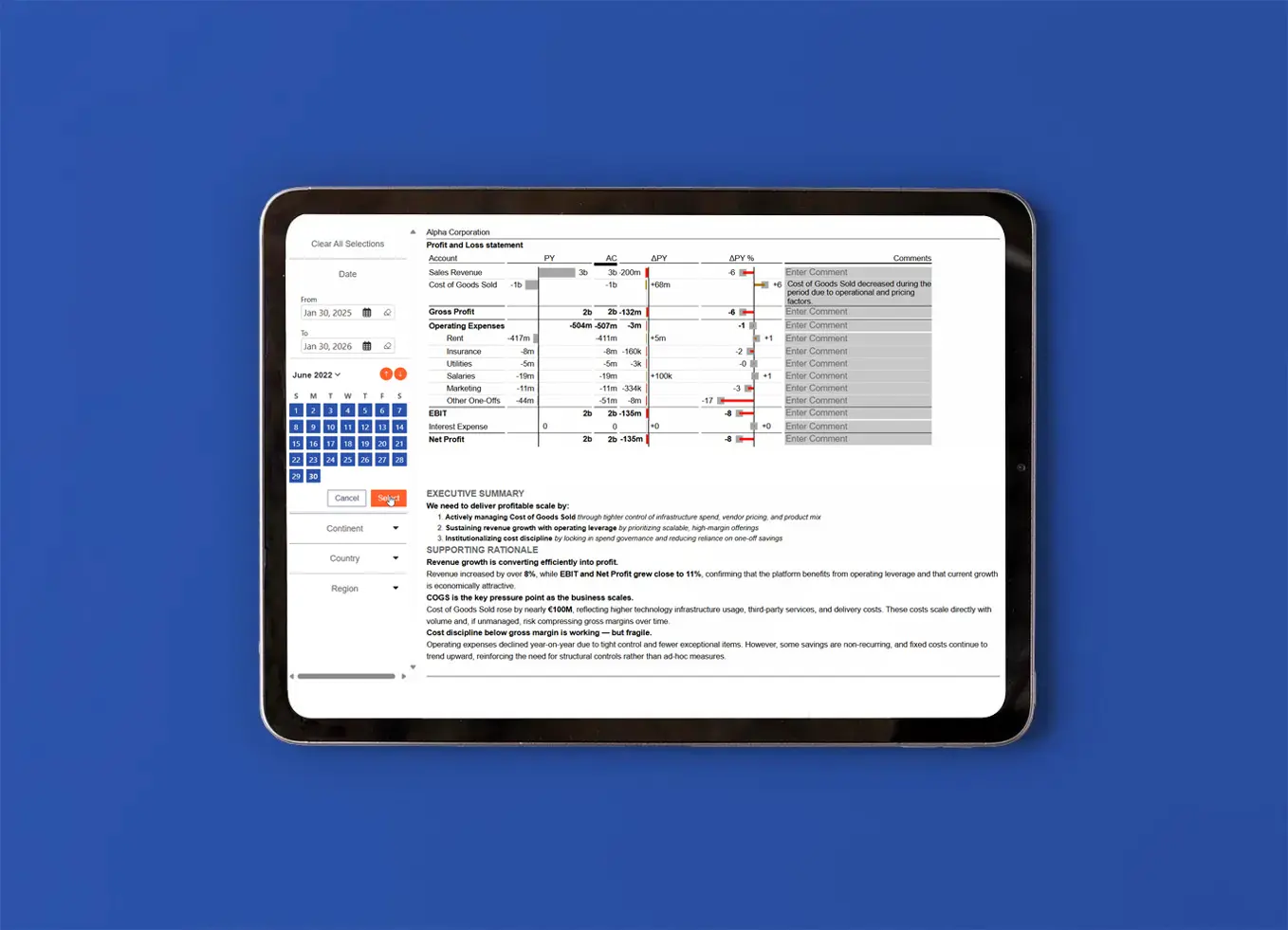
Turn complex dashboards into clean, organized experiences. SLICERBAR brings all your filters together into a single, intuitive navigation bar, making it easier for users to explore data without feeling lost. With a clear structure and consistent behavior across visuals, your Power BI reports stay simple, elegant, and effortless to use.
Make filtering easier and more intuitive across your Power BI reports. You can:
✔
Set default values manually or automatically by rule, such as opening on the current month
✔
Keep filters visible at all times, with selected values pinned to the top
✔ Show the current selection in the title for instant context.
Cleaner filtering with less effort and more clarity.
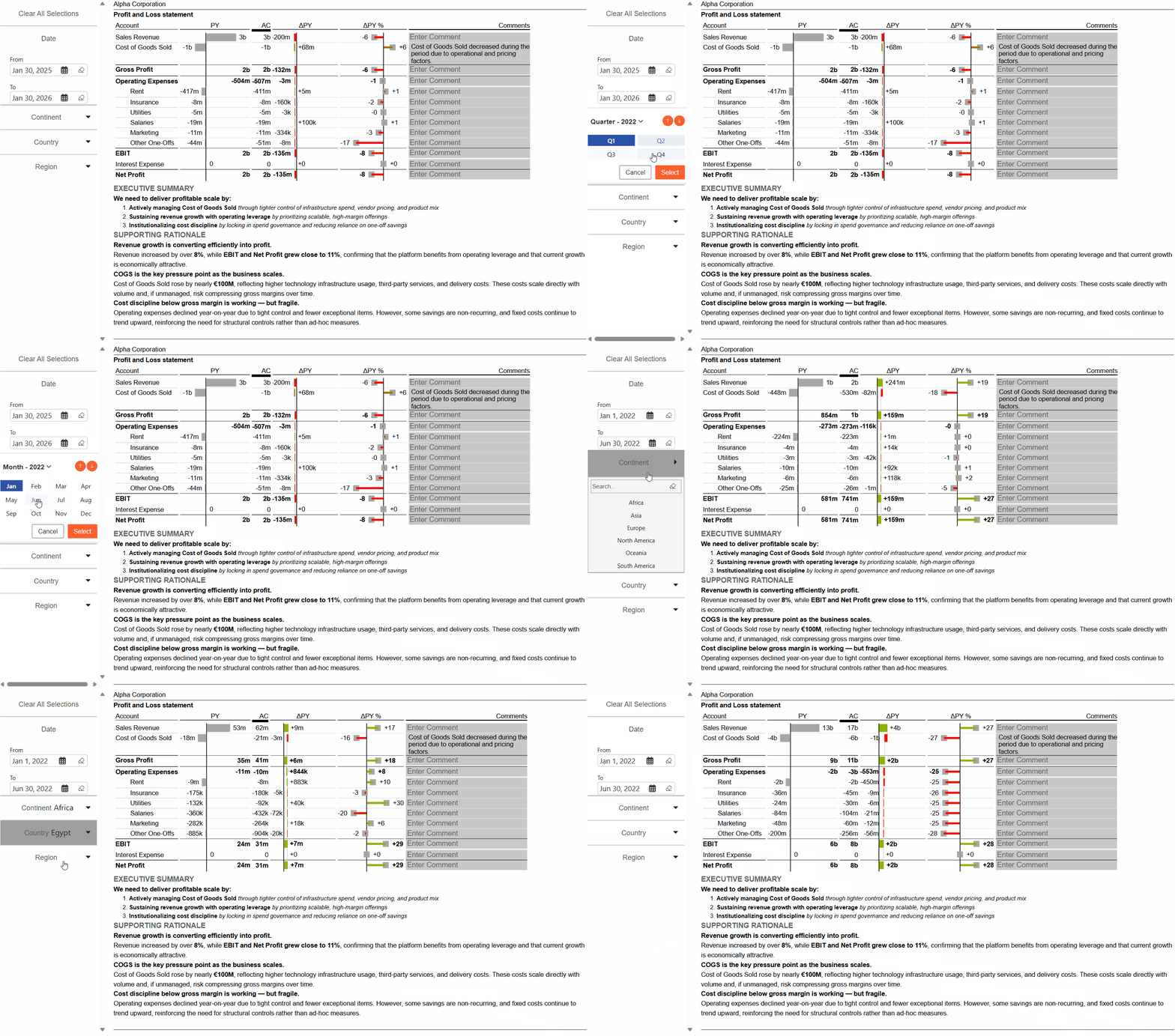
Make date-based filtering faster and more intuitive.
✔
Choose calendar tiles, a slider, or quick presets like “last 7 days”
✔
Jump forward or back by month, quarter, or year without resetting other filters
✔
Show key numbers directly in the calendar while selecting dates
Faster, clearer date filtering with fewer clicks.
Keep complex filtering clear and easy to navigate. Key benefits:
✔
Group filters for a more structured layout
✔
Let users drag and drop filters to rearrange or regroup them
✔
Add spacers between groups for clear visual separation
A cleaner structure for dashboards with many filters.
Add useful actions beyond filtering and make dashboards more interactive.
✔ Apply complete filter rules with one click
✔
Read selections with standard Power BI functions, without extra setup tables
✔
Open URLs directly from buttons
Simple actions that make reports faster and easier to use.
Keep your design consistent across every report with reusable, brand-compliant styling.
✔
Save and reuse themes across every report
✔
Fine-tune individual slicers, buttons, or date pickers on top of the global theme
✔
Control hover and click states for a consistent user experience
One theme. One design. Everywhere in Power BI.
Guide users from overview to detail without leaving the filter bar. Ideal for:
✔ Drilling down and rolling back up through multiple hierarchy levels
✔
Show measures as values, bars, or targets.
✔ Setting the starting level and selection manually or automatically by rule
Make complex filters easy to explore.
Transform Filtering in Power BI
Transform Filtering in Power BI
Explore how SLICERBAR transforms standard filtering into a smooth, website-like experience. Group, organize, and navigate your data with ease, so every report feels natural, clean, and easy to interact with.
New Features Coming Soon
-
 BOTTOM BAR DISPLAY MODESChoose exactly when the small status bar at the bottom of your filter panel appears: always on, only on hover, hidden completely, or visible only while you're building — never on the live report.
Trusted by data &
analytics leaders across
DACH and beyond
analytics leaders across